A familiar place
for all your bots.
Your workers, in a familiar messenger. Three pinned workers in one row, a layout that fits your window, and model and thinking controls beside Send.
Download for Windows ↓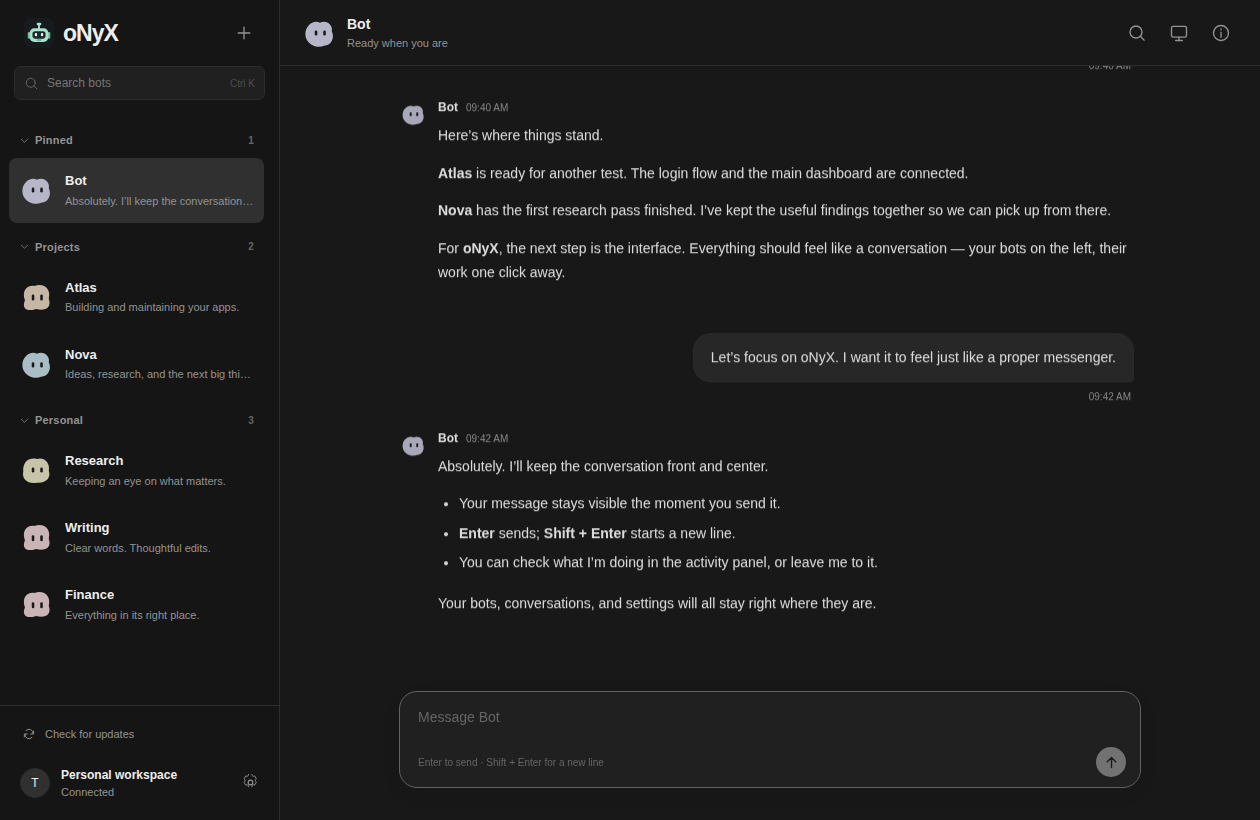
Start using the new interface
- Close the old app and extract the ZIP into a new folder.
- Open
Bot.exe. Keep all accompanying files and folders. - Your remembered login carries over. Otherwise, sign in as usual.
If oNyX asks for WebView2, run the included Microsoft installer once, then reopen oNyX.
Updates, without another download
Already using version 0.8.0 or later? Open your profile settings → Check for updates → Update and restart in oNyX. Your login and drafts carry over, and oNyX opens on the new version.
Made for conversations
Enter sends. Shift+Enter adds a line. Messages appear immediately. Stop a task or pick it up from another device.
Pin your main workers as large tiles. Right-click to edit, move, duplicate, hide or delete a bot. Each worker keeps its own memory and files.
Each bot is a worker with its own memory and tasks. All workers share your server. Browsing the interface does not use model allowance. Enabled routines and handoffs use normal allowance; no idle model calls.